
Question

Sql multi value parameter; how to add multiple values for one parameter in component input assignment in Component Manager


First, I have a query where one of the parameters can take multi values.


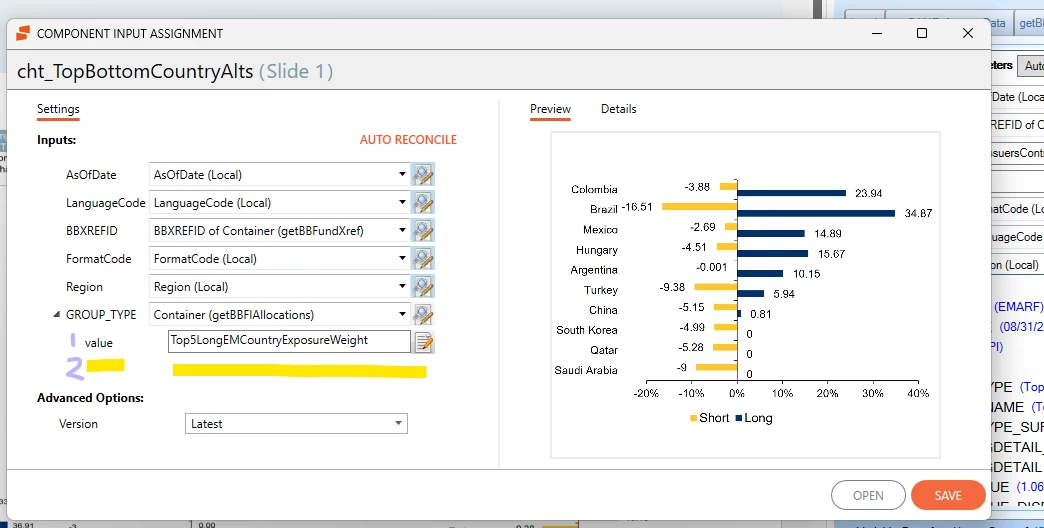
I have a chart that runs great accessing these multi parameters values when I run it standalone; however, when I want to use the chart in a LiveDoc, I am only able to add one value. How do I add the second value in the component manager, in the component input assignment? I would imagine that i need to add it where the purple number 2 is indicated below. 


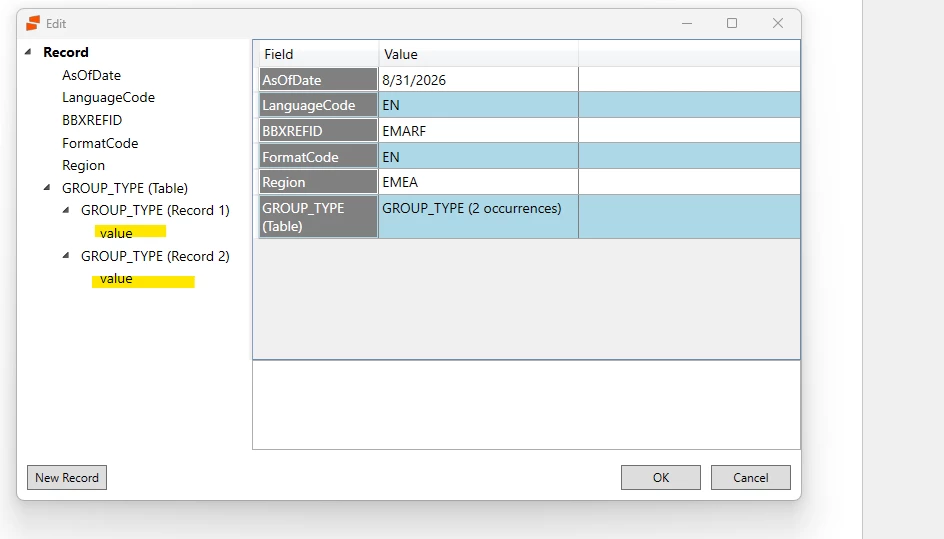
In my chart, when testing, I can create a sample data record to include 2 values as below. Again, need to do this somehow in Component Manager to ensure both values are passed into my query. Please advise on the best solution to get this accomplished.

 

2 replies

Forum|alt.badge.img+1

​@giadidonato I am not 100% sure this will work, but in the past i have created 2 variables in order to pass the data.  So you would have Group_Type with value #1 and then create a duplicate one and call it Group_Type1 with Value #2.  This way it will recognize both instances. Essentially, you have a duplicate in the variable panel with a slightly different name.


Forum|alt.badge.img+1
  • Quake
  • October 13, 2026

Agree with duplicating the variable/creating a new one to use as the additional group value. We do this very frequently for multiple sort ordering values.