

Solved

Creating a "hard link" to content for sharing with customers

  • January 26, 2026
  • 9 replies
  • 54 views

Forum|alt.badge.img+1

I’m using the Workspace feature in Seismic to create content (PowerPoint slides) to share with my customers. I typically upload the content and then Create a Link in Seismic and send that link out via email.

However, I need to update the content about once per week. I leave the PowerPoint slides in Seismic and just using PowerPoint Online to make the changes.

The problem is that the recipients with the link from prior weeks see outdated content, not the newly edited PowerPoint slides. How can I ensure everyone sees the latest content and only the latest content?

 

Best answer by LMaddock

Hi,

Just wanted to make you aware that LiveSend content auto update with be going GA on 2/13 following our Winter Release. When this feature is enabled any content that is shared via DSR, LiveSend Email, Link or Bulk Email will be updated when new versions are published. Conversely when content is unpublished or deleted, the content will become unavailable through the LiveSend links. Your admin will need to turn this on for your tenant. 

9 replies

Forum|alt.badge.img

You will need to create a LiveSend link for them to see any updated material. And make sure the expiration date is updated in Engagements.


Forum|alt.badge.img+1
  • Author
  • Quake
  • January 26, 2026

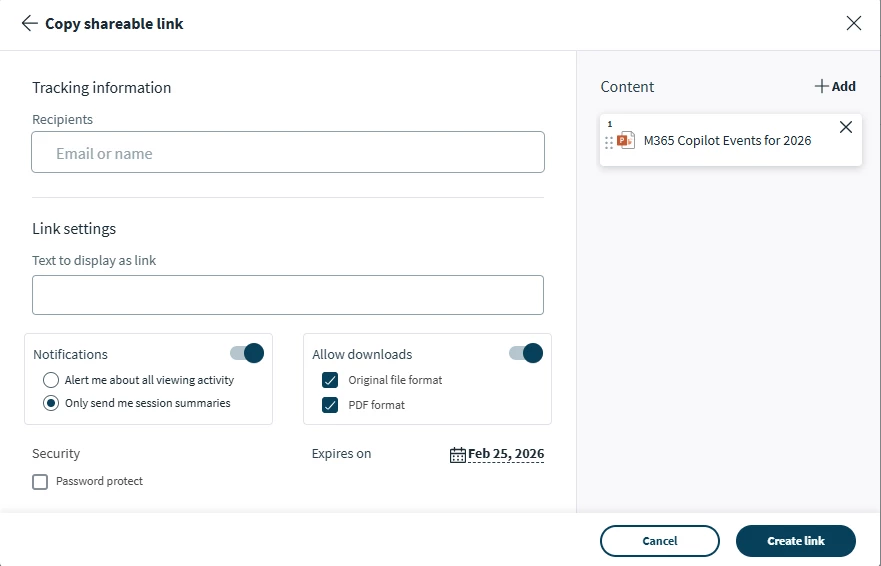
@LauraButlerCox thanks, that is what I have been doing (see screen shot below). The problem is that if I update the content in the PowerPoint (add a few slides, for example), the LiveSend link continues to show the original, now outdated, content. I want the LiveSend link to always show the current content.


Forum|alt.badge.img

You also have to update the new PP in the Engagements link. In the Pilot they are doing now, it automatically updates. But if you are not in the Pilot, then you will have to update it in Engagements. 


Forum|alt.badge.img+1
  • Author
  • Quake
  • January 27, 2026

Ok, got it. I’ve never looked in Engagements tab before. I can probably make that work, thanks.


Forum|alt.badge.img+1
  • Quake
  • January 27, 2026

And what happens when sharing with a DSR?
Would that support automatic content updates? 


Forum|alt.badge.img

And what happens when sharing with a DSR?
Would that support automatic content updates? 

Same with DSRs if you are in the Pilot. It’s a game changer, very nice!


Forum|alt.badge.img+1
  • Quake
  • January 27, 2026

And what happens when sharing with a DSR?
Would that support automatic content updates? 

Same with DSRs if you are in the Pilot. It’s a game changer, very nice!

Laura, do you mean that one would also need to an update in the Engagement?  


Forum|alt.badge.img

And what happens when sharing with a DSR?
Would that support automatic content updates? 

Same with DSRs if you are in the Pilot. It’s a game changer, very nice!

Laura, do you mean that one would also need to an update in the Engagement?  

Yes, if you are not in the Pilot, you have to update ALL LiveSend links and DSRs in Engagements. The content will not update itself unless you are in the Pilot. 


Forum|alt.badge.img+2
  • Community Manager
  • Answer
  • January 27, 2026

Hi,

Just wanted to make you aware that LiveSend content auto update with be going GA on 2/13 following our Winter Release. When this feature is enabled any content that is shared via DSR, LiveSend Email, Link or Bulk Email will be updated when new versions are published. Conversely when content is unpublished or deleted, the content will become unavailable through the LiveSend links. Your admin will need to turn this on for your tenant.